PiDash

For the Raspberry Pi 5 and 4

Something worth looking at when nothing is on.

PiDash shows your photos, the time and the weather on the TV, and puts YouTube, Netflix, your games, your films and everything else one press away. All of it works with the remote the TV came with.

Install it View the code

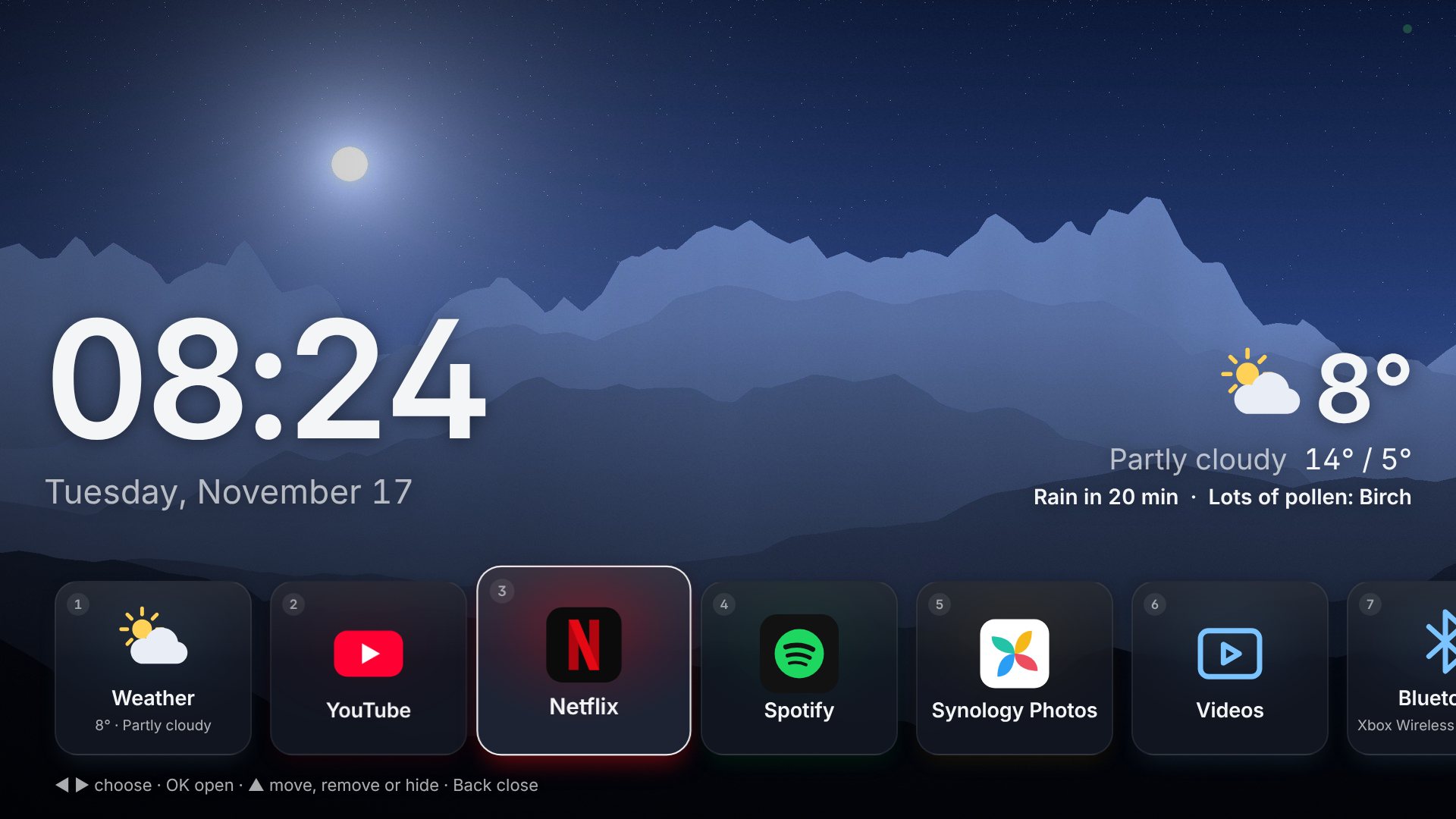
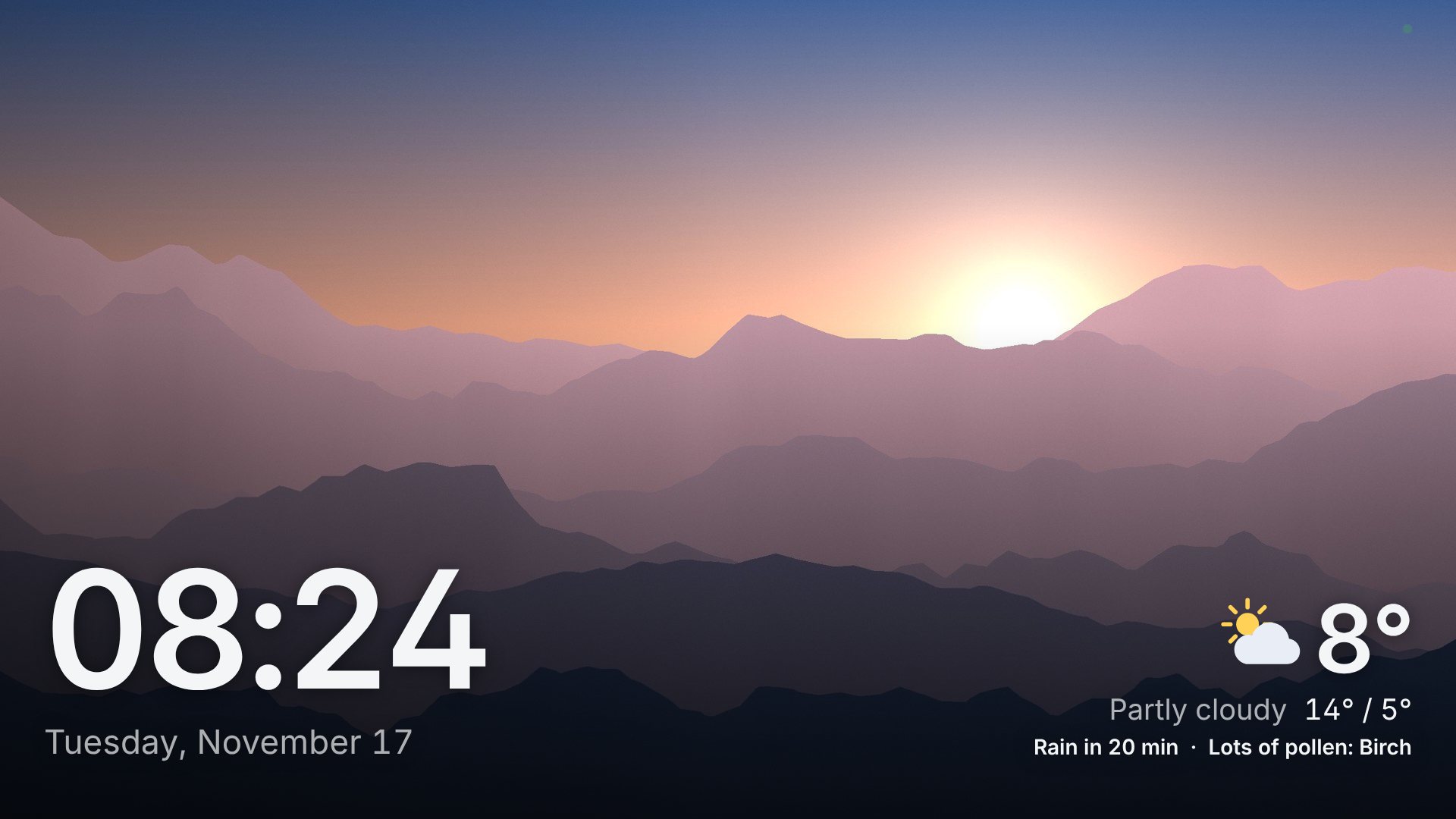
The dashboard on a TV: a large clock and the date over a photo of mountains at sunrise, with the weather in the corner.

Photos, the time, the weather

Albums from Synology Photos or a folder on the Pi, behind a clock you can read from the sofa. Photos can drift and zoom slowly without anything being cut off, upright ones appear two at a time, and the slideshow can start each day with what you took on that day in earlier years.

  • Weather for the week, rain about to start, a rain radar, air quality and pollen
  • Favourites that come round more often, and a map of where a photo was taken
  • Paintings from a museum instead, for when the photos should rest
  • A dim clock at night, by the clock or from sunset to sunrise
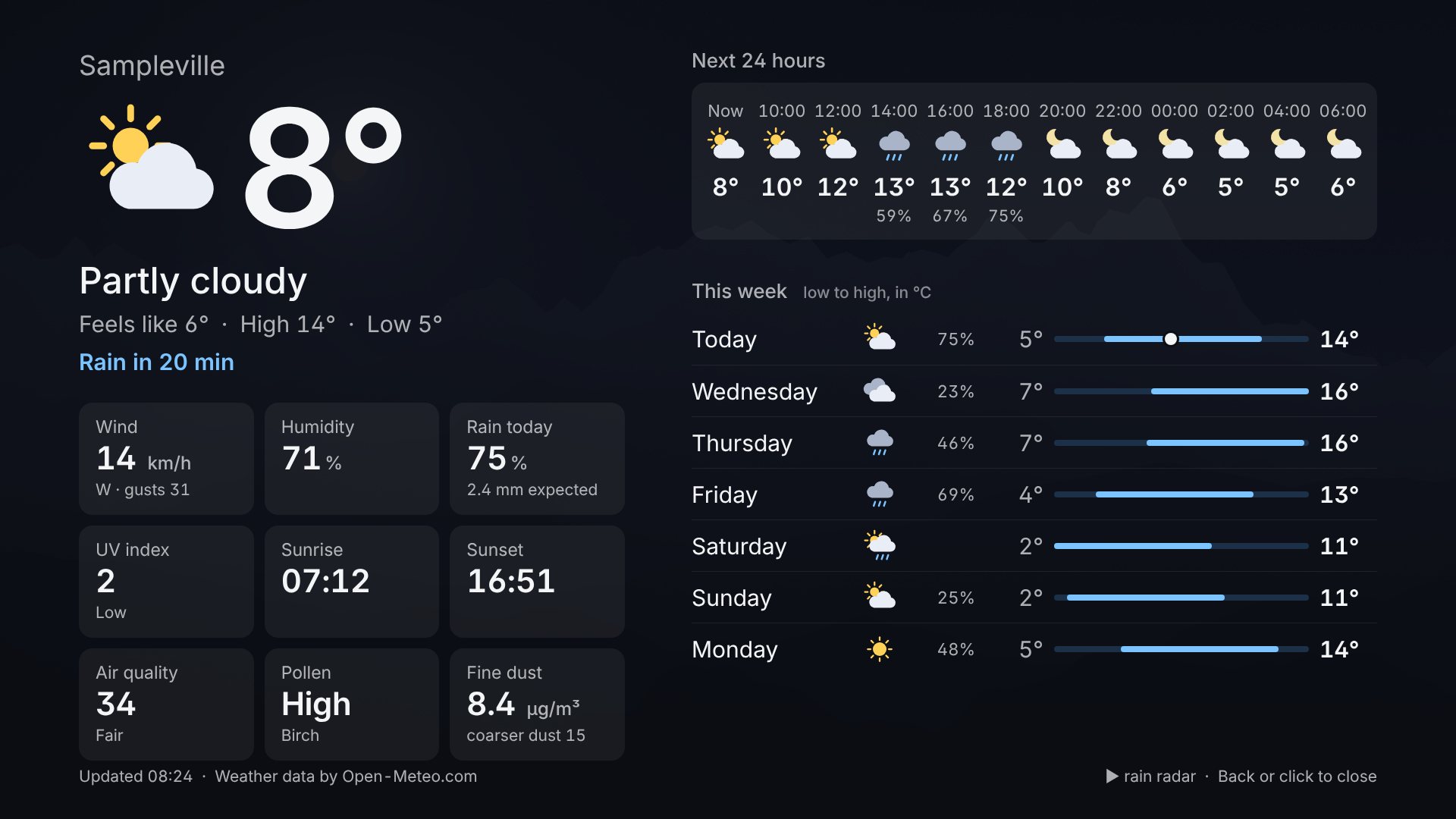
The weather page: the temperature now, the next 24 hours, and a week of days with their low and high.

Apps and games, one press away

Press OK and a row of tiles slides up. YouTube in its TV layout, Netflix, Spotify, Plex and any other website open fullscreen. Kodi, Steam Link, Moonlight and emulators such as RetroArch and PPSSPP start like on a console, and so does any program installed on the Pi.

  • Hold Back for two seconds to come home from anywhere
  • Games from your PC and from RetroArch on a page of covers, the one played last first
  • The games console and other devices on the TV as tiles that switch the TV to them
  • Internet radio that plays while the photos carry on
The app row along the bottom of the screen, with tiles for the weather, YouTube, Netflix, Spotify and Synology Photos. The selected tile glows in the colour of its icon.

Your photos, found again

Thousands of photos are easy to keep and hard to look at. PiDash reads where and when they were taken and makes something of it: a map of the places, the trips they tell of, and a quiz for the whole sofa.

  • Places: a pin for every town, and the photos from there with one press
  • Trips, found by themselves: some days away from home become "Lisbon, September 2023"
  • More from this album, this day or this year; and "five years ago today"
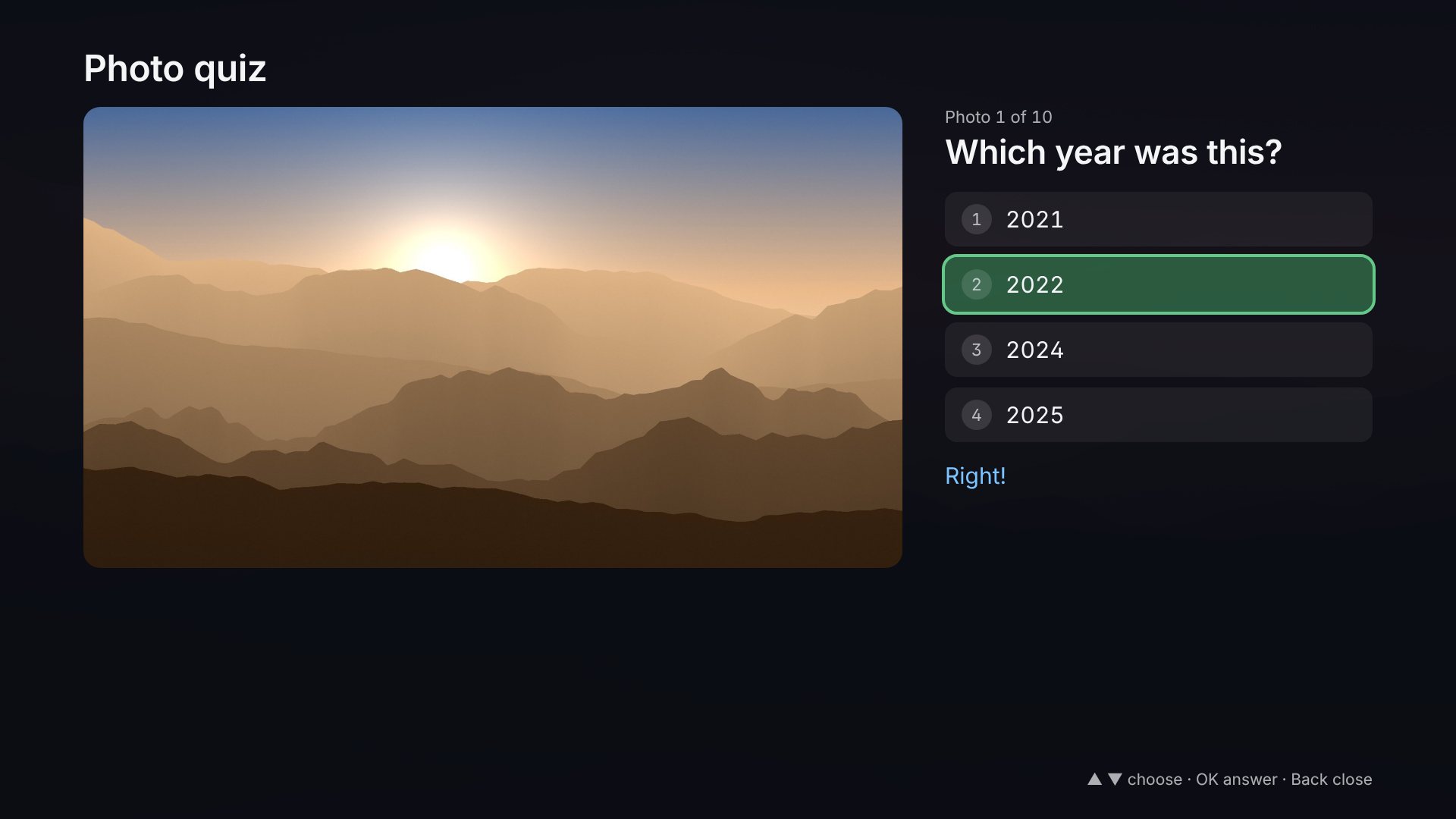
  • Which year was this, and where? Ten photos a round
The photo quiz: one of the photos beside the question which year this was, with four years to choose from and the right one marked green.

Films from your own shelves

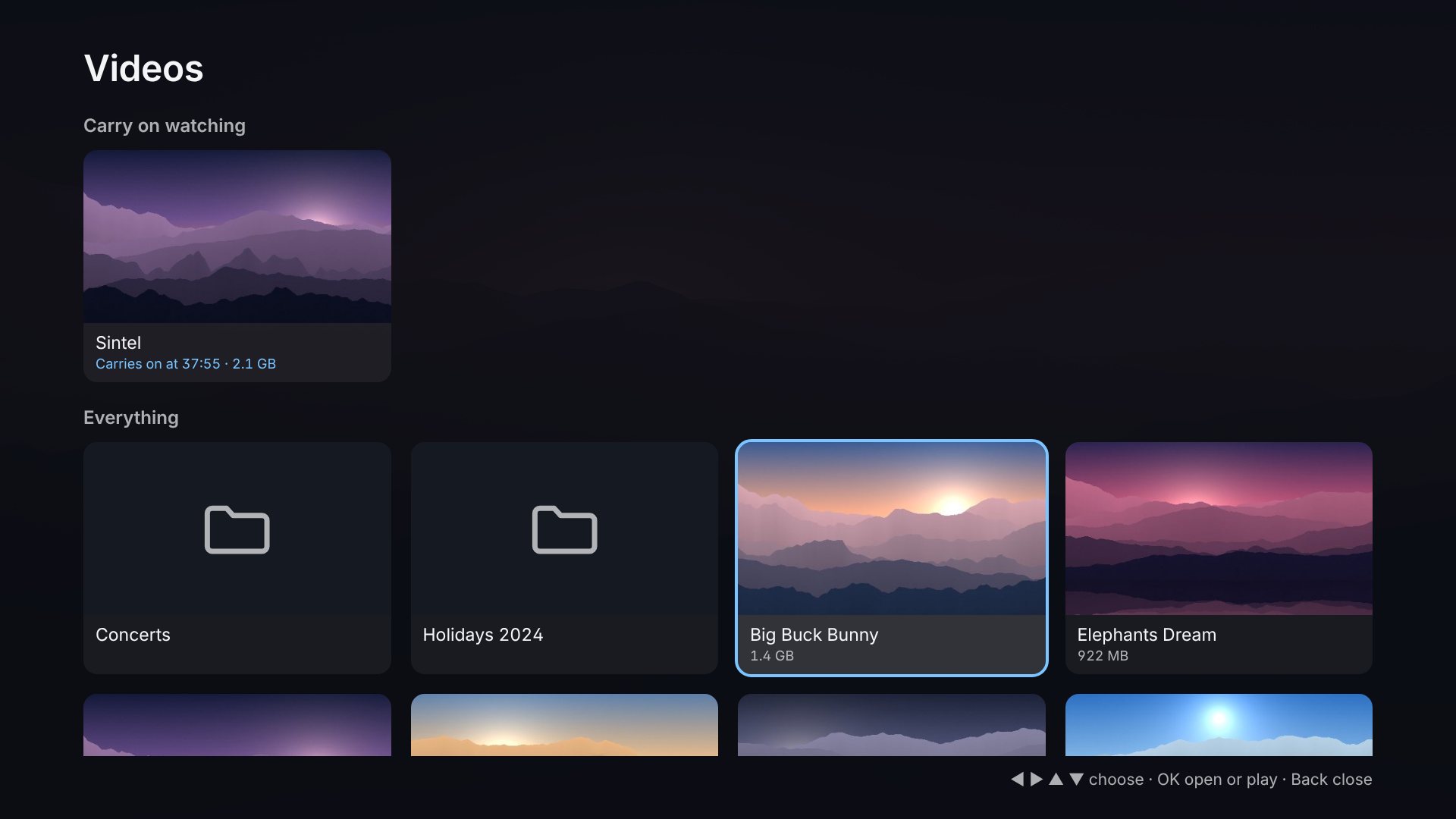
A folder on the Pi, a USB drive or the shared folders of a Synology NAS become a Videos page: folders to walk through with the remote, and a film that plays full screen and carries on where you stopped it.

  • Pause, skip back and forward, subtitles and language from the TV's remote
  • Episodes in the order people count: 2 before 10
  • Nothing is copied: a film on the NAS plays from the NAS
The Videos page: two columns of folders and films with their sizes, one of them highlighted and marked as carrying on where it stopped.

Set up from the sofa

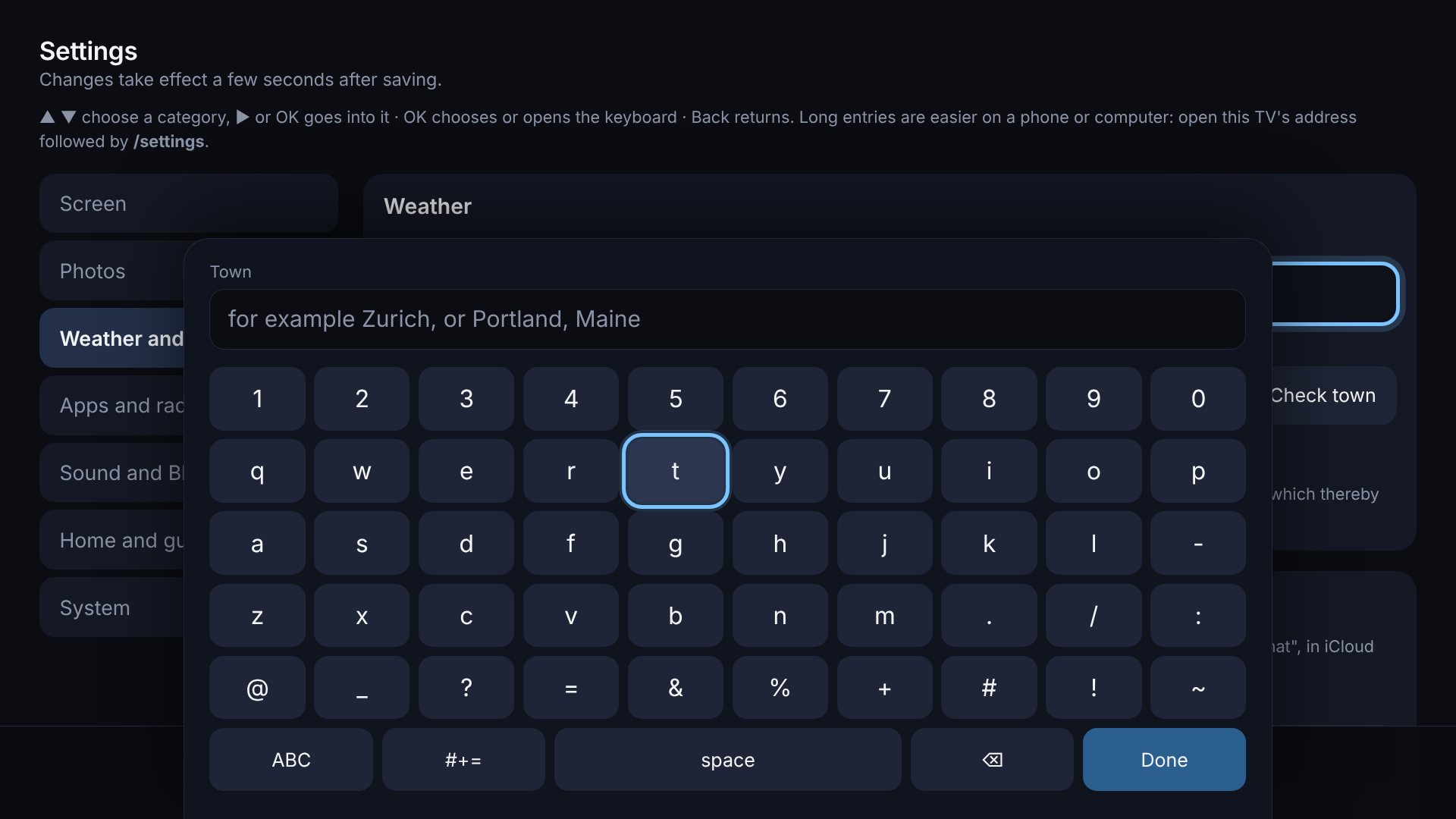
Every setting is on the TV and works with arrows, OK and Back, down to an on-screen keyboard for the rare thing that has to be typed. For anything longer, the same page opens on your phone.

  • English, German, French and Italian
  • Backup and restore in one file
  • A PIN, if little hands should not change things
The settings page on the TV with an on-screen keyboard open, one key highlighted.

Controllers and headphones

Pair a game controller or headphones over Bluetooth without touching a mouse. A controller then works as a remote for everything, and switching it on switches the TV on, the way a console does. Put headphones on and the sound moves to them; take them off and it is back on the TV.

  • Battery levels, and a word on the TV when one runs low
  • The screen names the controller's own buttons: ✕ and ○, or A and B
  • A controller that switches the TV on opens your games
  • The controller works inside YouTube and Netflix too
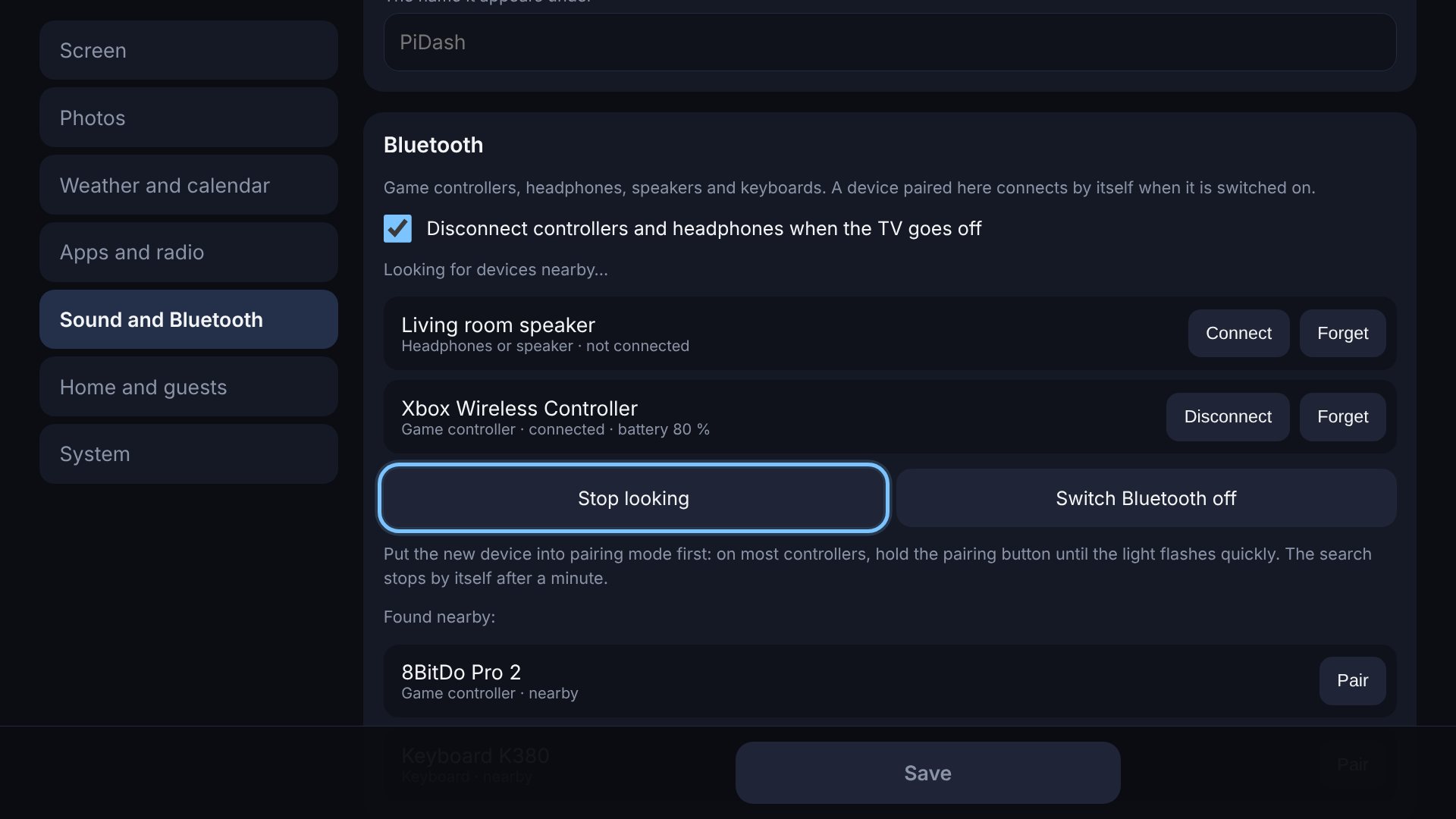
The sound and Bluetooth settings on the TV: a paired controller with its battery level, a speaker, and two devices found nearby with a Pair button each.

It looks after itself

PiDash is meant to be forgotten about. It can install its own updates at night, rests while the TV is off, pauses its animations when the Pi runs hot, and starts its browser again should the page ever freeze. When something does need you, a status page on the TV says what, in plain words.

  • The TV switches off when nobody has pressed anything for a while, if you like
  • No terminal needed to find out why something is not working
  • Shows the last button it heard, to check a remote
  • Nudges the clock and texts by a few pixels now and then, to spare the screen
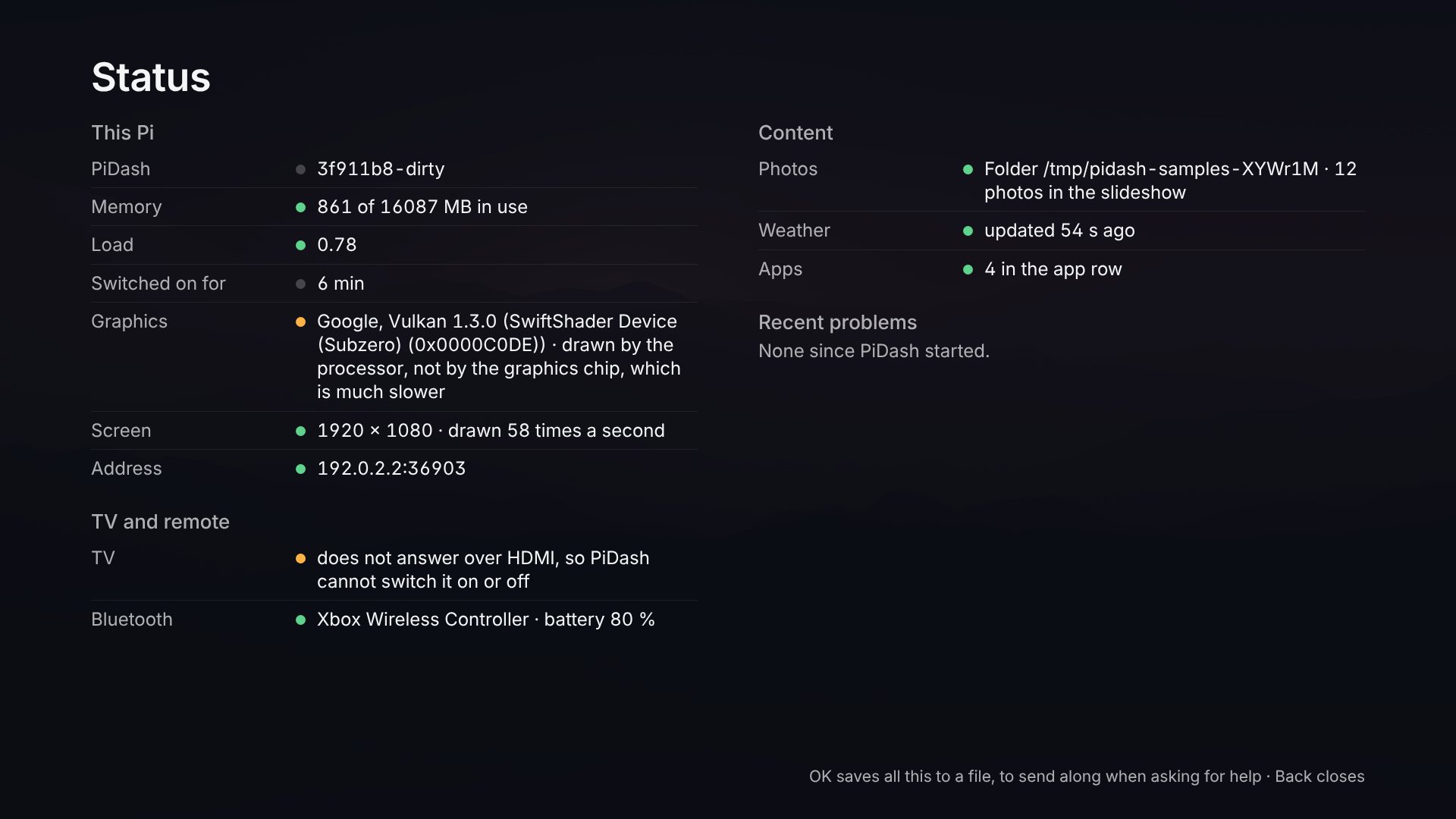
The status page: version, temperature and memory of the Pi, whether the TV answers, which remotes are listened to, and where photos and weather come from.

Good to know

No extra hardware

The TV passes its remote's buttons to the Pi over the HDMI cable. Nothing to buy, nothing to pair.

On top of your desktop

Nothing is flashed and the Pi's start-up is not changed. Leave the dashboard and your desktop is there, as you left it.

No account

Photos come from your own NAS or folder and stay at home; passwords stay on the Pi. From outside it only fetches what you switch on: the weather and the rain radar, your calendar, a map of where a photo was taken, a museum's paintings, and new versions.

Easy on the Pi

One small program with the pages built in. Photos are prepared once, and the screen is drawn no more often than the eye can tell, and not at all while the TV is off.

Removable

It lives in your home folder, plus one small system rule for the remote. One command removes it again.

Free and open

MIT licensed. Read it, change it, or tell it what it should do next.

Install

You need a Raspberry Pi 5 or 4 with Raspberry Pi OS and its desktop (Bookworm or newer), connected to the TV by HDMI and to the internet. Open a terminal on the Pi and run:

curl -fsSL https://raw.githubusercontent.com/DarioRomano/PiDash/main/install.sh | bash

This downloads the latest release, checks it against its checksums and installs it. Nothing is compiled on the Pi. If you would rather look first, the installer is a short script, and the guide has the options, such as starting the dashboard whenever the Pi starts.

PiDash also runs on other ARM boards and on ordinary PCs with Debian, Ubuntu, Fedora or Arch, and, as the dashboard alone for any browser, in a container. The guide says what to expect on each.

Read the guide Latest release